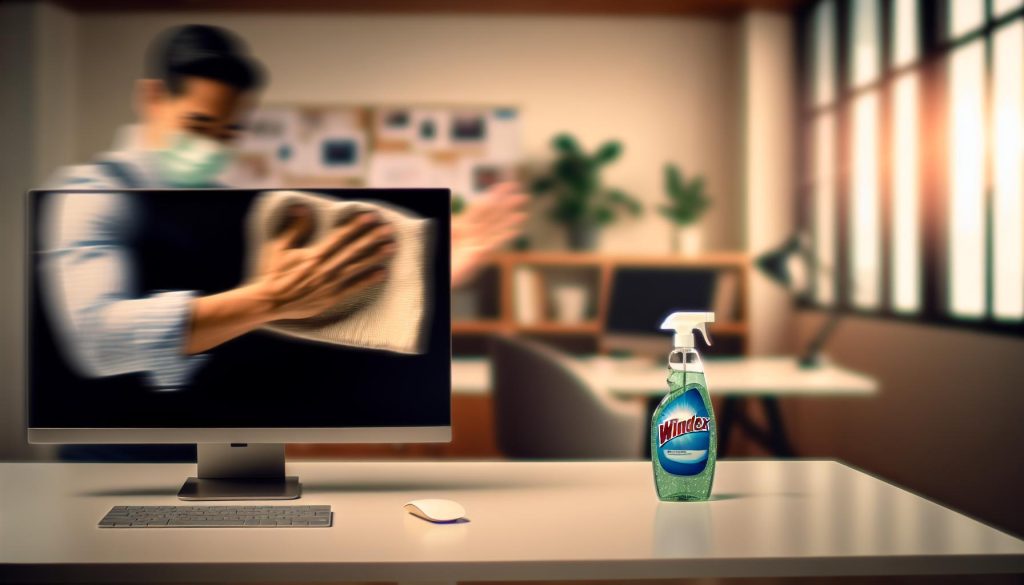
As we navigate our increasingly digital lives, the cleanliness of our screens is more vital than ever. With fingerprints, dust, and smudges cluttering our computer monitors, ensuring they look their best can significantly enhance our workspace. But can you use Windex on a computer monitor? This common office cleaning question is essential, as using the wrong products might damage your device. Understanding the safe and effective methods for monitor care not only protects our technology but also fosters a healthier and more enjoyable working environment. Join us as we delve into the best practices for cleaning your screen while preserving its pristine condition, ensuring your workspace remains a cozy and inviting retreat where creativity can flourish.
Can Windex Damage Your Computer Monitor?
Using Windex on your computer monitor may seem like a quick fix for cleaning pesky smudges, but it’s crucial to understand the potential damage it can cause. Many commercial window cleaners, including Windex, contain ammonia and other harsh chemicals that can strip away the protective coatings on most screens. These coatings often serve to reduce glare and enhance the display quality, so any damage can lead to diminished viewing experiences over time.
If your monitor is an LCD, LED, or plasma type, spraying Windex directly onto the surface can also contribute to moisture getting trapped inside, which might result in permanent pixel damage. Instead of achieving that crystal-clear finish you desire, you could inadvertently be inviting risks of discoloration, streaking, or worse-permanent damage to the screen.
To safely clean your monitor, consider using a microfiber cloth slightly dampened with water or a 50/50 mixture of distilled water and white vinegar. This gentle approach ensures you’ll minimize the risk while still effectively removing dust and fingerprints. Always remember to power off and unplug your device before starting the cleaning process, and avoid pressing down too hard while wiping, as this can lead to screen damage.
In short, while Windex may be great for glass surfaces, when it comes to your electronics, it’s best to choose products specifically designed for screens to maintain their pristine condition.
Safe Alternatives to Windex for Cleaning
When it comes to keeping your computer monitor pristine without resorting to potentially damaging products like Windex, there are several safe and effective alternatives that can brighten your screen while preserving its integrity. Many screen materials, especially newer models with protective coatings, require gentle treatment, so opting for the right cleaning solutions is essential. One of the simplest and most effective alternatives is plain distilled water, which can be applied using a soft, lint-free microfiber cloth. This method not only helps remove dust without scratching the surface but also avoids any harsh chemicals that could interfere with the screen’s protective layers.
For those who desire a bit more cleaning power, a mixture of 50% distilled water and 50% white vinegar or isopropyl alcohol (at a concentration of 70% or less) can offer an excellent solution for tougher smudges. This mixture is effective at cutting through grease and fingerprints without harming the screen’s finish when used correctly. Just remember to dampen your cloth rather than applying the solution directly to the screen, as this prevents excess moisture from seeping into the device and causing internal damage.
Other Safe Options
There are additional commercially available products that are specially formulated for electronics, whose labels explicitly state their suitability for LCD, LED, and plasma screens. Brands focusing on device care often offer sprays and wipes that ensure a non-abrasive clean that respects the monitor’s special coatings. Always verify that a product is free from ammonia and alcohol, as these can lead to the aforementioned risks when used on sensitive displays.
- Microfiber cloths: Soft, reusable, and lint-free.
- Distilled water: Gentle and effective on dust.
- Vinegar solution: Natural and powerful against fingerprints.
- Device care products: Tailored formulations for screens.
By embracing these safer alternatives, you can maintain a crystal-clear viewing experience while ensuring that your monitor stays in optimal condition for years to come. Not only do these methods stand as practical solutions in your everyday tech care routine, but they also reflect a thoughtful relationship with your devices-cultivating a cozy workspace that exhibits care and diligence.
How to Properly Clean Your Monitor
Cleaning your computer monitor might seem like a straightforward task, but the right methods and materials make all the difference between a shiny, clear display and damage to your beloved device. While many would consider grabbing a bottle of Windex due to its popularity as a cleaning solution, it’s crucial to understand that it may not be safe for all screens, particularly those with special coatings. Therefore, mastering the art of monitor cleaning requires not only the right tools but also a gentle touch akin to the care of delicate handcrafted items in a cozy cottage.
To begin your monitor cleaning journey, gather your supplies: a soft, lint-free microfiber cloth, distilled water, and if needed, a gentle solution of equal parts distilled water and white vinegar or isopropyl alcohol (no stronger than 70%). Approach the task as if you’re tending to a cherished quilt or a delicate piece of art-it’s about being mindful and deliberate. Avoid cleaning solutions that contain ammonia, alkalis, or alcohol, as these can damage the screen’s protective layers over time and leave you with unsightly streaks. Instead, your cloth should be slightly dampened with your chosen solution, never sprayed directly onto the screen, to prevent liquid from seeping into delicate electronic components.
Here’s a simple step-by-step approach to maintain that crisp clarity:
- Power off your monitor: This not only reduces the risk of electric shock but also makes it easier to spot dust and smudges.
- Use your microfiber cloth: Begin wiping gently in circular motions, applying light pressure to avoid scratches. Focus on areas with grime or fingerprints.
- For stubborn spots: If the cloth alone isn’t doing the trick, lightly spray your mixture (distilled water and vinegar or alcohol) onto the cloth, not the screen, and continue the gentle wipe.
- Final wipe: After cleaning, use a dry section of your cloth to give the screen one last gentle pass, ensuring there are no remaining damp areas.
By treating your monitor with care and employing these considerate methods, you not only enhance its longevity but also create a more pleasant workspace. Much like a well-tended sundried garden or a cozy corner stocked with hand-knit blankets, a clean monitor provides clarity and comfort-enabling you to focus better on your tasks while enjoying the fundamental joy that accompanies caring for your home and tools.
Best Cleaning Products for Monitors
There’s a certain joy in finding the perfect cleaning products that both protect your beloved computer monitor and enrich your home environment. Not all cleaning solutions are created equal, especially when it comes to those delicate screens. While Windex might be a household staple, it’s essential to explore safer alternatives that will preserve the beauty and longevity of your monitor without compromising its intricate coatings.
For an effective and gentle cleaning routine, several products stand out as ideal friends for your display. Consider using a microfiber cloth-this soft, plush fabric is perfect for wiping away dust and fingerprints without scratching the surface. To add a touch of natural goodness, you might mix a solution of equal parts distilled water and white vinegar. This combination provides a light, effective cleaner that is both eco-friendly and free from the harsh chemicals found in many commercial cleaners. Alternatively, isopropyl alcohol (no stronger than 70%) can be used in moderation, offering a powerful yet safe clean that evaporates quickly.
Why Choose Eco-Friendly Products?
Embracing eco-friendly products not only protects your screen but also contributes to a healthier home environment. Simple solutions like vinegar or even natural soaps provide effective cleaning power without the harmful side effects of ammonia or harsh additives. Moreover, many manufacturers now offer specific screen-safe cleaners formulated for electronics. These gentle products often include surfactants derived from plant materials, making them kind to both your screen and the planet.
Additionally, for those who appreciate convenience, several reputable brands produce specialized monitor cleaning wipes. These wipes are typically ammonia-free and designed for quick touch-ups, making them perfect for busy households or office spaces. They combine the best features of effectiveness and practicality-easy to use and mess-free, ideal for a bustling lifestyle.
Ultimately, whatever your choice, treating your monitor as a cherished part of your home environment will ensure it remains a clear window to creativity and connection. Taking the time to select the right cleaning products not only enhances your viewing experience but also reflects a deeper appreciation for the tools that enrich our everyday lives.
Step-by-Step Guide for Monitor Maintenance
Maintaining your computer monitor is not just about aesthetics; it’s about prolonging its life and ensuring a clear, enjoyable viewing experience. With a few simple steps, you can keep your display in pristine condition, much like tending to a cozy space in your cottage. Regularly giving your monitor a little TLC helps to prevent dust buildup and smudges, allowing you to appreciate the crisp visuals that await you.
Begin your maintenance routine by ensuring your monitor is turned off and unplugged. This small step not only protects the device but also makes it easier to spot dust and grime on the screen. For routine cleaning, gently wipe the surface with a microfiber cloth, as this material is soft enough to avoid scratches while effectively capturing dust and debris. If needed, dampen the cloth slightly with a solution of distilled water and white vinegar-this blend is gentle yet effective.
In addition to regular cleaning, consider adopting a seasonal maintenance schedule. This could involve a more thorough wipe-down of your screen and surrounding area every few months. Use this time to check all cables and connections, ensuring nothing is frayed or damaged, creating a safer and visually appealing workspace. Think of it like planning a seasonal gathering where you tidy the cottage, rearranging flowers and decor to refresh the atmosphere.
Lastly, always be mindful of how you handle your monitor. Avoid using harsh chemicals, including Windex, which can damage the protective coatings on your screen. Instead, explore eco-friendly options that not only clean effectively but also reflect a commitment to a healthier environment. Just as you would select natural ingredients for your farmhouse recipes, choosing the right cleaning products showcases a respect for your tools and space, making the maintenance ritual a truly enriching experience.
Tips for Avoiding Smudges and Streaks
Maintaining the pristine clarity of your computer monitor can feel akin to cultivating a beautiful garden: both require a delicate touch and consistent care. To keep smudges and streaks at bay, opting for the right materials and techniques is essential. Did you know that the simple act of how you wipe your screen can make a significant difference? Here’s how to ensure your monitor sparkles like a freshly painted cottage.
Start with the right tools. A high-quality microfiber cloth is your best friend here-its soft fibers capture dust and debris without scratching the surface. Instead of using a circular motion, which can attract more dust or create more streaks, try wiping in straight lines. This method not only provides a thorough clean but also minimizes the risk of redistributing grime across the screen. For those stubborn smudges, lightly dampen the cloth with a mixture of distilled water and a splash of white vinegar, allowing the natural cleaning properties to work without harsh chemicals.
Embrace Consistency
Just as you wouldn’t neglect your favorite seasonal blooms, keeping a regular cleaning schedule for your monitor is vital. Aim for a quick wipe-down once a week. This routine allows you to manage dust and smudges before they accumulate into a daunting task. Think of it as watering your plants-regular attention yields beautiful results. If you notice an increase in fingerprints, perhaps due to a bustling home office, adjust your cleaning frequency accordingly.
While cleaning, be mindful of how you handle your monitor. Avoid placing your hands on the screen or leaning too close, as oils from your skin can lead to new smudges before you’ve even finished your cleaning. If you have little ones or furry friends at home, consider positioning the monitor slightly higher or away from curious hands and paws, preserving its clarity for a longer time.
By integrating these simple yet effective habits into your routine, you can enjoy the soothing views from your monitor without the distraction of unwanted smudges and streaks. Just like tending to a treasured cottage garden, a little care goes a long way in enhancing the joy of your workspace!
Understanding Monitor Coatings and Care
Understanding the care required for your computer monitor is essential to maintaining its clarity and performance over time. Monitors today often come with various coatings, each designed to enhance the display quality and provide a better viewing experience. For instance, many monitors feature an antiglare or matte coating that reduces reflections, making it easier to see the screen in brightly lit environments. However, these coatings can be sensitive to harsh cleaners, such as Windex, which contains ammonia and other chemicals that may damage or degrade the protective layer over time.
To ensure you’re treating your monitor with the care it deserves, it’s wise to first identify the type of screen coating. Most modern LCD and LED monitors come with protective films that can easily be scratched or permanently dulled with the wrong cleaning agents. Instead of resorting to commercial cleaners, opt for gentle solutions tailored to electronics. An ideal cleaner can be as simple as a mixture of distilled water and a small amount of white vinegar, which will clean without compromising the screen’s integrity.
Maintaining these coatings is akin to nurturing the decor of a cozy cottage; it requires thoughtful choices and consistent care. When cleaning, use a soft microfiber cloth, as it minimizes the risk of scratches while effectively lifting dust and fingerprints. It’s best to avoid paper towels or other rough materials that might inadvertently cause damage. Approach the task as you would care for treasured heirloom fabric-gently and with attention to detail.
As part of your routine care, schedule regular cleaning sessions to keep those beloved views crystal clear. This small commitment can significantly extend the life of your monitor and enhance your daily enjoyment of everything from virtual gatherings to streaming your favorite cottagecore videos. Embrace the notion that a well-cared-for monitor is not just a tool, but an integral part of your workspace that deserves the same love and attention you would give your cherished home.
When to Call a Professional for Cleaning
When caring for your computer monitor, it’s essential to recognize when a task might be too daunting to tackle alone. Just as a cozy cottage may need a skilled hand for an intricate repair or a refreshing design touch, your monitor sometimes requires the expertise of a professional. If you notice persistent streaks or discoloration on your screen that simple cleaning won’t resolve, it may indicate underlying issues that go beyond surface grime.
There are several triggers that should prompt you to consider calling in a specialist. For instance, if your monitor exhibits flickering, has dead pixels, or shows signs of physical damage, it’s wise to seek help.
- Consistent Performance Issues: Flickering, unusual colors, or complete display failures are not just inconveniences; they signify deeper problems.
- Physical Damage: Cracks or scratches can often exacerbate through amateur cleaning attempts, worsening the problem instead of fixing it.
- Age of the Monitor: Older models may have specific maintenance needs or issues that require professional knowledge.
Entrusting your monitor to a trained professional not only ensures a thorough assessment but also keeps you from risking further damage. They possess tools and techniques for cleaning that minimize the risk of damaging sensitive components, like display coatings. Furthermore, they can provide insights on routine maintenance tailored to your specific monitor model, thus prolonging its lifespan.
Taking the time to care for your monitor-much as you might tend to a beloved garden or cozy corner of your cozy cottage-is vital. If doubt arises during your cleaning adventures, don’t hesitate to let a professional step in and offer their magic touch. After all, your monitor plays an essential role in your daily pursuits-whether for work or basking in the beauty of nature via digital images-and it deserves the utmost care, just like every cherished element of your rustic lifestyle.
Eco-Friendly Cleaning Solutions for Devices
In a world where eco-conscious living is gaining importance, many are seeking natural alternatives to commercial cleaning products like Windex. For those of us who cherish a cozy cottage lifestyle, using simple, earth-friendly solutions not only keeps our spaces clean but also resonates with our values of sustainability and care for the environment. Many home remedies can serve as effective yet gentle cleaners for your monitor, ensuring you preserve its longevity while also safeguarding our planet.
One popular eco-friendly solution is a mixture of distilled water and white vinegar. This combination is potent enough to tackle smudges and grime without the harsh chemicals found in many traditional cleaners. Simply mix equal parts distilled water and white vinegar in a spray bottle, lightly spritz a microfiber cloth, then gently wipe your monitor. Be sure to avoid spraying directly onto the screen. This method not only cleans your monitor effectively but also uses ingredients commonly found in a rustic home, embracing a philosophy of simplicity and resourcefulness.
Another excellent alternative is using a small amount of olive oil or a mixture of olive oil and water. This can work wonders for cleaning not just monitors but other surfaces as well. Apply a drop of olive oil to a soft cloth, followed by a lightly dampened section with plain water. Gently buff your screen, and you’ll be left with a beautiful shine that reflects your commitment to natural living. Always ensure you use minimal oil to prevent residue buildup.
Herbal Infusion for a Refreshing Clean
For those who appreciate the scents of nature, consider infusing your cleaning solution with a few drops of essential oils, such as lavender or lemon. These not only impart a lovely fragrance, rejuvenating your workspace but can also possess natural antibacterial properties. Just a drop in your vinegar-water mixture can transform your cleaning routine into a fragrant experience that uplifts your spirit as you work or create.
As you explore these eco-friendly cleaning solutions, you not only maintain the beauty and functionality of your devices but also engage in an artful practice that reflects your love for nature and respect for our environment. In each swipe and spray, you contribute to a cleaner world, celebrating the beauty of cottage living and the joy of simple, effective solutions.
Common Mistakes When Cleaning Monitors
Cleaning your computer monitor can be a simple task, but a few common mistakes can lead to issues that spoil your hard work. One of the most prevalent missteps is reaching for commercial cleaners like Windex, which, despite their effectiveness on glass, can damage the delicate coatings on screens, leading to cloudiness or streaking. Instead, opt for gentle, homemade solutions; the rustic charm of using distilled water mixed with white vinegar reflects the values of sustainability and simplicity that resonate in cozy cottage living.
Another frequent error is applying the cleaning solution directly onto the monitor. This can result in excess moisture pooling at the edges and potentially seeping into the device, causing internal damage. It’s always best to lightly moisten a microfiber cloth-those soft, natural fabric wonders are excellent for this purpose-before applying it to the screen. Use gentle, circular motions to lift smudges and dirt without risking scratches or dinging the surface.
Using the Wrong Materials can also compromise your cleaning efforts. Paper towels or rough fabrics can leave micro-scratches, dulling the finish over time. Embrace the art of using soft, lint-free microfiber cloths, which not only cleanse effectively but also respect the integrity of your monitor’s surface. They’re a cozy staple that can be easily integrated into your rustic cleaning kit, reminding you of the beauty of handmade care.
Lastly, neglecting routine maintenance can lead to a buildup of grime that’s difficult to manage. Regular, gentle cleaning can enhance the clarity and performance of your monitor, celebrating your commitment to creating an organized, inspired workspace. Make it a habit to incorporate these simple practices into your routine, and enjoy the sparkling clarity they bring to your computing experience-bringing a touch of cottage bliss into your everyday life.
Keeping Your Workspace Clean and Organized
In the heart of a cozy cottage is often a workspace infused with the charm and creativity of everyday life. A clean and organized workspace not only enhances productivity but also nurtures a serene ambiance that fosters inspiration and clarity. Just as we wouldn’t allow clutter to compromise the tranquility in our living spaces, the same care should be applied to our desks and work areas. Keeping your workspace tidy is about more than just aesthetics; it creates a sense of peace that echoes through every project and endeavor.
Start by establishing a daily routine for clearing away unnecessary items. Set aside a few moments each day to tidy up, ensuring that your workspace remains functional and inviting. This could involve discarding old papers, organizing tools and supplies, or simply wiping down surfaces. Consider using whimsical baskets or rustic wooden trays to corral odds and ends. Not only do these charming containers keep things neat, but they also add a delightful touch to your decor, embodying the spirit of handmade beauty that cottage living celebrates.
Embrace the art of organization by allocating specific spots for your essentials. Whether it’s a lovely little drawer for stationery or a decorative shelf that displays your favorite books and plants, defining a place for everything can dramatically reduce clutter. You might even create a vision board or hang art that inspires you, bringing a slice of cottage warmth right to your desk. Layering different textures, such as rustic wood alongside soft fabrics, not only adds visual interest but also creates a welcoming atmosphere that invites creativity.
As you curate your workspace, don’t forget the importance of cleanliness-not just in the physical space but also in the tools you use, like your computer monitor. Regularly tending to your screen will keep it free from smudges and dust, ensuring a clear view for all your artistic endeavors. Remember, a gentle cleaning solution like diluted vinegar works wonders without the risk of damaging delicate monitor coatings, harmonizing with the natural materials that love to breathe and shine in our homes.
In this cozy corner of your life, where productivity meets the elegance of rustic charm, a clean and organized workspace becomes a canvas for your creativity. Cultivating this harmony not only elevates your work experience but also reflects a lifestyle steeped in simplicity and beauty, where each item has its place and every corner tells a story of care.
The Importance of Regular Computer Monitor Care
Regular care for your computer monitor goes beyond mere aesthetics; it’s a crucial aspect of maintaining the equipment that connects us to our creativity and productivity. Just as one wouldn’t let dust gather on cherished family heirlooms, neglecting the care of your monitor can lead to a host of problems, from unsightly smudges to permanent damage. A clean screen enhances visibility, creating a bright canvas where ideas can flourish. Moreover, a well-maintained monitor can improve your overall viewing experience, reducing eye strain and ensuring that the colors of your projects shine through vividly.
Why Regular Cleaning Matters
Dust, fingerprints, and smudges not only diminish the clarity of your display but can also result in more serious issues over time. Screen coatings, which are designed to reduce glare and protect the display, can be compromised by harsh chemicals found in some cleaning products. The joy of your digital workspace is best maintained with regular attention to cleanliness, ensuring your screen remains pristine and functional. Homey routines, like a gentle wipe-down with a microfiber cloth and a safe cleaner, can become delightful moments in your day-transforming a mundane task into a mindful practice.
Creating an Inviting Workspace
Imagine a workspace bathed in soft light, where every detail is attended to. Keeping your monitor clean helps create that inviting atmosphere. Here are some simple steps to ensure your screen is always ready for action:
- Choose the Right Cleaner: Avoid ammonia-based products like Windex that may damage monitor coatings. Instead, opt for DIY solutions using distilled water or a mixture of vinegar and water.
- Use Microfiber Cloths: These are designed to lift dust without scratching the screen’s surface, making them perfect for your gentle cleaning routine.
- Schedule Regular Cleanings: Just as you would maintain your garden or tidy your room, set a recurring day every couple of weeks to refresh your monitor.
By integrating these habits, you transform the care of your monitor into a ritual that enhances your productivity and fosters a deeper connection to your work. As you cultivate this practice, you not only preserve the functionality of your technology but also create a workspace that reflects your care for both your tools and your craft-a true celebration of the cozy, rustic beauty surrounding cottage living.
Frequently asked questions
Q: Can Windex be used to clean LED monitors?
A: No, using Windex on LED monitors is not recommended as it may damage the screen’s anti-reflective coating. Instead, use a microfiber cloth dampened with water or a cleaner specifically designed for electronics.
Q: What are the best products for cleaning computer monitors safely?
A: The best products for cleaning computer monitors include specially formulated screen cleaners, distilled water, and microfiber cloths. These options ensure safe cleaning without harming the screen’s surface.
Q: How often should you clean your computer monitor?
A: It’s best to clean your computer monitor every few weeks or whenever you notice dust or smudges. Regular cleaning helps maintain visibility and prolongs the life of the monitor.
Q: What are common mistakes people make when cleaning their monitors?
A: Common mistakes include using paper towels, applying too much cleaner, or cleaning when the screen is hot. Always use a soft microfiber cloth and avoid excess moisture to prevent damage.
Q: Can I use vinegar to clean my computer monitor?
A: Vinegar should be used cautiously; it can be effective but may also harm coatings. For best results, mix one part vinegar with three parts distilled water, but test on a small area first.
Q: Is it safe to use alcohol wipes on a computer monitor?
A: Alcohol wipes can be safe for some monitors, but they may damage screens with anti-glare or anti-reflective coatings. Always check the manufacturer’s recommendations before use.
Q: How do I remove stubborn smudges from my monitor?
A: For stubborn smudges, apply a 50/50 mixture of distilled water and white vinegar to a microfiber cloth. Gently rub the area in circular motions until the smudge is removed.
Q: What should I avoid when cleaning my computer monitor?
A: Avoid using ammonia-based cleaners, paper towels, or applying cleaner directly to the screen. These can scratch or damage the surface. Always use a damp cloth instead.
In Retrospect
In conclusion, while Windex is a popular choice for many cleaning tasks, it’s crucial to use it wisely on your computer monitor to avoid damage. Remember to opt for ammonia-free versions and always test on a small area first. Ready to dive deeper into office cleaning best practices? Check out our guides on the best cleaning solutions for electronics and tips for maintaining a pristine workspace. Don’t let smudged screens hold you back-take action today! If you have questions or tips of your own, share them in the comments below-we love hearing from our community! Join our newsletter for more insights and embrace a clearer, cleaner work environment that enhances your productivity.